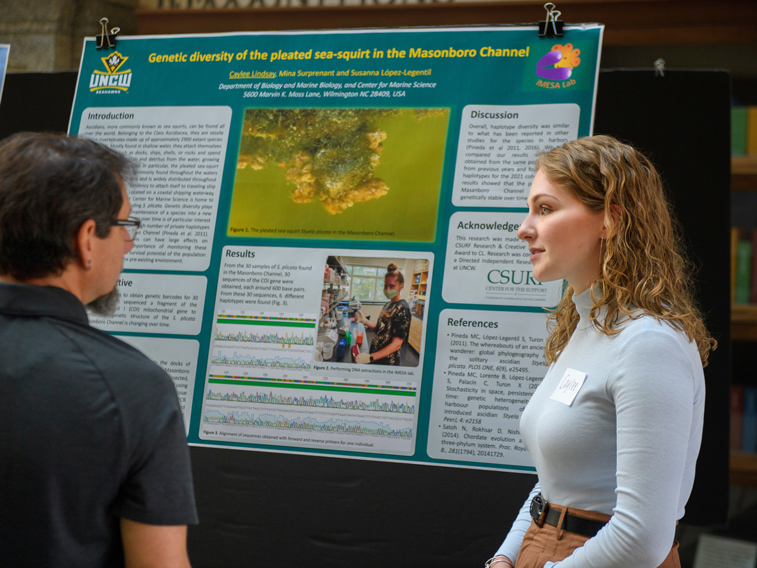
-NOTE: Please fill out a Poster Printing request form if you wish to have a poster printed by CSURF. You may send the form electronically to csurf@uncw.edu along with your poster file. Please read the following for more information.
-If you are an undergraduate or graduate student author of a poster to be presented at a professional meeting or conference, CSURF will print your poster FREE of charge!
- If you would like to learn how to make a poster, please attend one of CSURF's PowerPoint Poster Workshops.
HOW TO MAKE A POSTER:
Recommended Software
-Use PowerPoint
-Save your file as a PowerPoint document (not an image file).
- We ask that you NOT use a poster template from the internet as these are often copyrighted and do not print well! If you need help starting your poster please contact us at csurf@uncw.edu, or stop by one of our workshops.
Changing the Dimension of the Poster
- Poster size requirements will vary depending on the conference guidelines
- Our plotter size limits are 48W x 40H, please do not exceed these dimensions.
- To change the dimensions of your poster go to File>Page Setup and simply change the dimensions from standard 8.5 x 11inch dimensions to your desired size. Some recommended sizes are 34x46 and 22x34. Create your poster by using one slide with the larger dimensions – otherwise, it is the same slide format as a regular presentation.
Color Management
- Please keep background color to a minimum (e.g. white or light colors), this helps reduce the overhead cost in printing a poster.
- For classroom posters, we ask that you have a white background to limit printer ink usage.
Inserting Pictures and Checking for Pixilation
-To insert a picture, click "insert" from the drop down menu and select "Picture". Pixilation often occurs when a photo is stretched. In order to check for pixilation, set the view % at 100%. This will show you what your poster will look like when it is printed. Scroll each part of the poster at 100% to check for any format problems or pixilated pictures. Click here to view an example of a pixilated picture.
Logo
- Your poster should contain a UNCW logo, please download the image from Printing Services (this prevents pixilation caused by stretching smaller images). Note: If you are not associated with UNCW athletics, you are only permitted to use the "House" logo. We will change or add a logo before printing if it is not the house or if it is pixilated. Please download the TIFF for Windows format (available in S, M, L sizes in teal, navy,or black).
Inserting Text
-In order to insert text onto your poster, click the "insert" drop down menu and select "text box". You can size the text box to your liking by clicking and dragging. You may also change the format of your text box by right clicking on it and selecting "Format Text Box". Here you can do things such as have your box outlined or colored. Text Tip: Do not overwhelm your poster with text.
Click here for more information to help you design an effective poster.
Poster Submission for Printing by CSURF
- Fill out the Poster Printing request form and email to csurf@uncw.edu. Please give us at least 2 days notice for printing. Some times of the year are particularly busy and sometimes assistants are not immediately available to print.
Example Posters
- Here is a sample poster created for a history project
-Here is a sample poster that contains a basic abstract format
-Here is a sample of an experimental poster
If you would like more information, please attend a workshop!
For questions about workshops or poster making/printing in general, please email: csurf@uncw.edu